Themes are applied in this browser only. “Follow” reads
~/.local/state/omarchy/current with your permission and tracks
omarchy theme set live; nothing is uploaded.
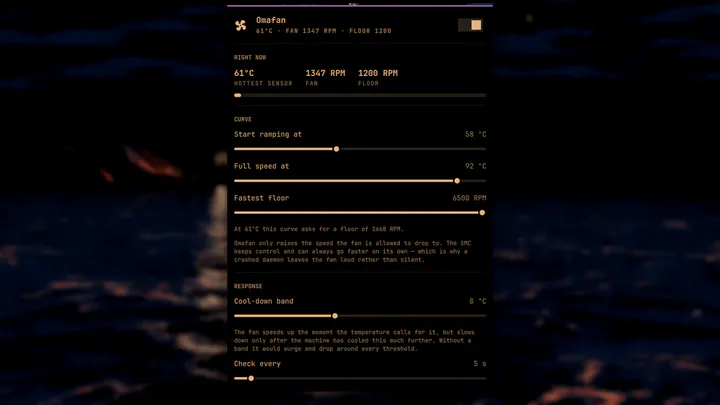
Temperature-driven fan control for Apple hardware running Linux, from the Omarchy bar. The SMC's own curve barely ramps under Linux — on a MacBookAir7,2 the CPU reaches 90°C with the fan still idling at 1200 RPM. Omafan raises the fan's floor as the machine heats up, and shows the temperature in the bar.
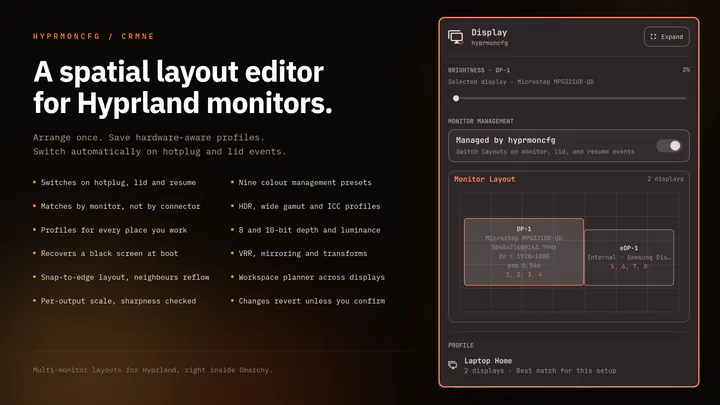
Plug your monitors in and the right layout comes back. Save a profile per setup and hyprmoncfg applies it automatically on hotplug, on lid open and close, and after suspend. Layout editor with per-display brightness, snapping, per-output scale and sharpness checking, HDR, wide gamut and ICC colour management, mirroring, rotation, and a workspace planner. Profiles match monitors by make, model and serial rather than the port they are plugged into, so moving a cable does not break your layout.
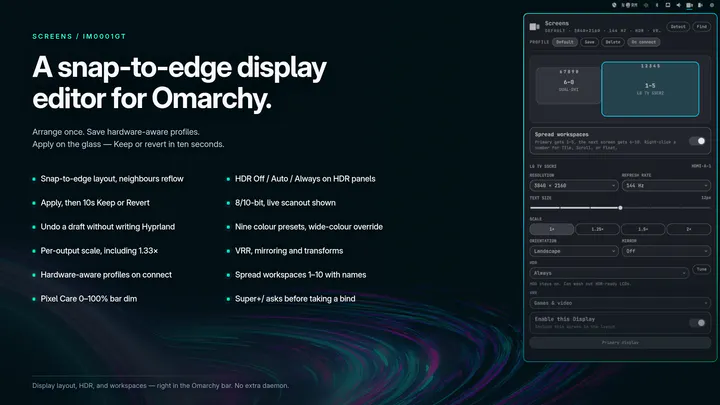
Snap-to-edge monitor layout with brightness, text size, HDR, VRR, hardware-aware profiles, optional bar dim, and workspace spreading with names, icons, and a configurable total