Omapager
by Neil Jagdish Patel · ★ 80
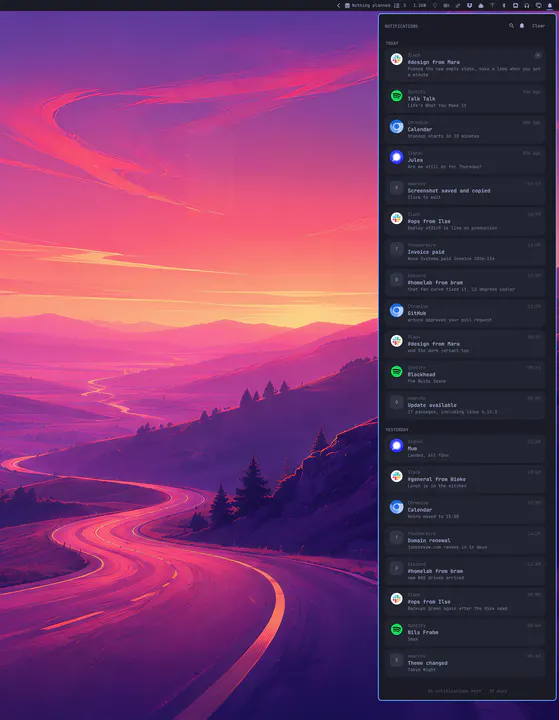
Notifications for Omarchy: a stacking, grouping replacement for the built-in service, with markup parsing, resolved source icons, inline reply, and per-source snooze.
Own every screenshare. Replaces your cursor with one of Pokey's three hand + arm designs that track the pointer, tap with a knock on every click, and have a presentation mode where clicks only poke. Hides the real cursor with Hyprland's runtime cursor:invisible flag, so it returns automatically on next login. Toggle with SUPER+U, cycle the hand (Classic / Sleek / Bold) with SUPER+SHIFT+U, cycle the hand size (187/281/425px) with SUPER+CTRL+SHIFT+U, presentation with SUPER+CTRL+U.

omarchy plugin add https://github.com/pixeye33/omarchy-pokey.git --enableMenu: Super + Space → Setup → Plugins → Add
Plugins run as unsandboxed code. This site does not verify security. Third-party plugins run unsandboxed. Review the repo before enabling.
by Neil Jagdish Patel · ★ 80
Notifications for Omarchy: a stacking, grouping replacement for the built-in service, with markup parsing, resolved source icons, inline reply, and per-source snooze.
by Jankees van Woezik · ★ 63
Every notification you were sent, kept, and readable again