LetsFG Flights
by LetsFG · ★ 2052
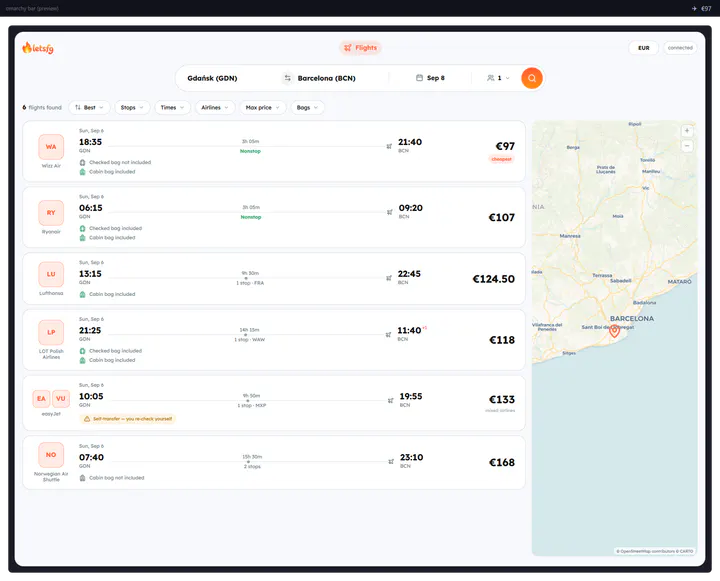
Search hundreds of airlines from the bar. Uses your own LetsFG token; no keys are bundled.
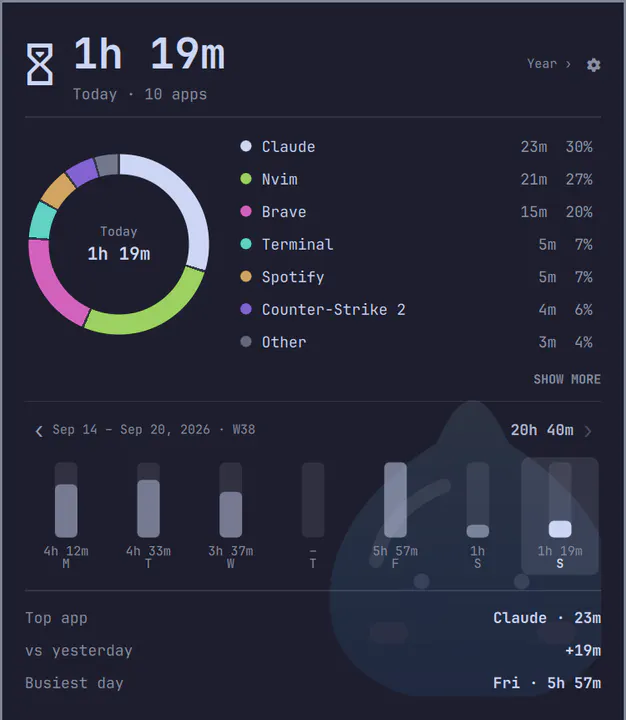
Daily screen time per app in your Omarchy bar: sees what runs inside terminals, names Steam games, folds browsers and web apps. The popup has a donut chart, a 52-week trend, insights, a yearly overview that reaches back to your first day, a daily goal, a settings menu and an optional faint background picture. Fully local: nothing leaves your machine.
omarchy plugin add https://github.com/nabdalla-prog/Rimuru-screentime.git --enableMenu: Super + Space → Setup → Plugins → Add
Plugins run as unsandboxed code. This site does not verify security. Third-party plugins run unsandboxed. Review the repo before enabling.
by LetsFG · ★ 2052
Search hundreds of airlines from the bar. Uses your own LetsFG token; no keys are bundled.
by huacnlee · ★ 252
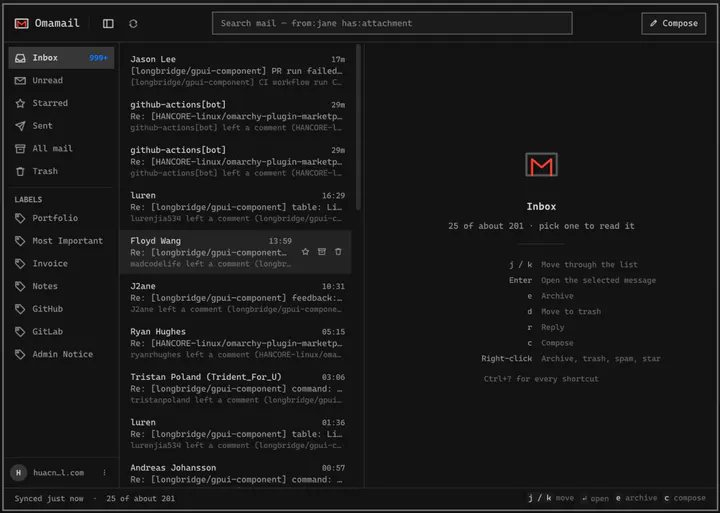
Email client for Omarchy: read, triage, and reply to Gmail, HEY and any JMAP or IMAP mailbox in a native window. Fastmail, iCloud, Outlook, Zoho, Proton Bridge, or your own server — several accounts at once, each with its own inbox and unread count. Keyboard-first, three columns when there is room and one when there is not, and it follows your theme. Meeting invitations are drawn as meetings you can answer, newsletters unsubscribe in one click, and remote images stay blocked until you ask.
by Arseniy Zarechnev · ★ 40
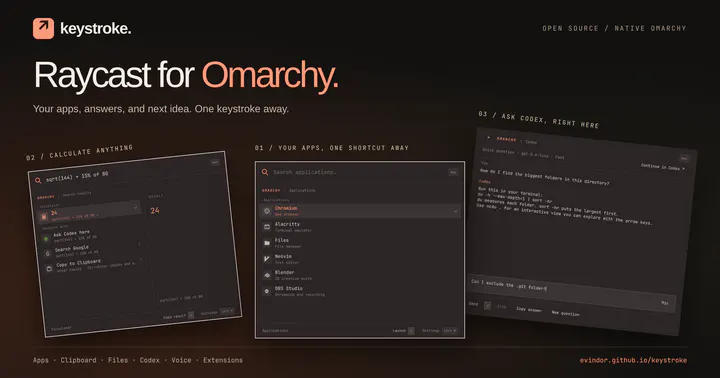
A Raycast-style command palette that replaces the Omarchy menu, with voice, Codex and community extensions