Themes are applied in this browser only. “Follow” reads
~/.local/state/omarchy/current with your permission and tracks
omarchy theme set live; nothing is uploaded.
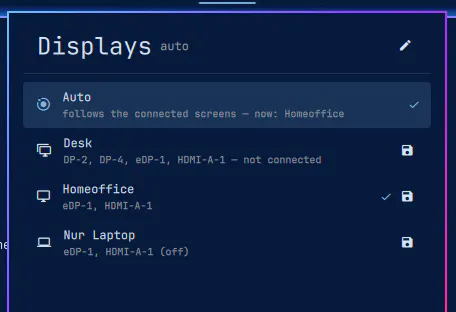
Named monitor arrangements in the Omarchy bar. Capture how your screens are placed right now, save it as Desk, Home or Presentation, and switch back with one click. Auto mode picks the profile whose screens are actually plugged in, so docking and undocking sorts itself out.
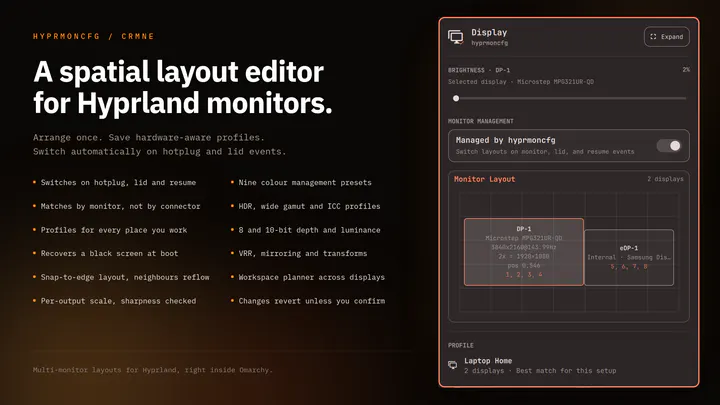
Plug your monitors in and the right layout comes back. Save a profile per setup and hyprmoncfg applies it automatically on hotplug, on lid open and close, and after suspend. Layout editor with per-display brightness, snapping, per-output scale and sharpness checking, HDR, wide gamut and ICC colour management, mirroring, rotation, and a workspace planner. Profiles match monitors by make, model and serial rather than the port they are plugged into, so moving a cable does not break your layout.
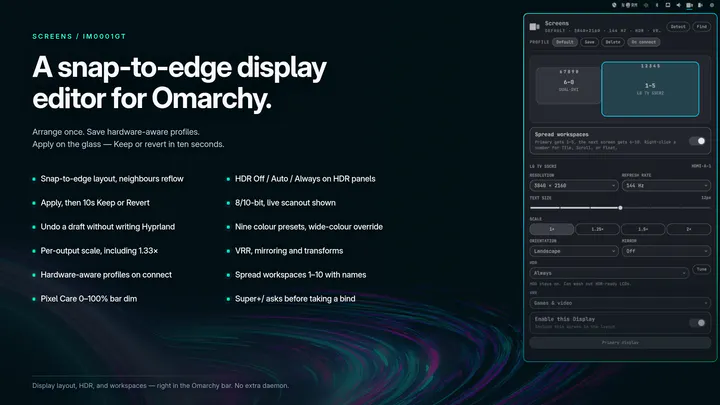
Snap-to-edge monitor layout with brightness, text size, HDR, VRR, hardware-aware profiles, optional bar dim, and workspace spreading with names, icons, and a configurable total