Omarchy Archive

Search GitHub

Feed / other

manateelazycat: Omarchy Screenshot Adds Pin So Overlay Stills Drag Across Monitors

manateelazycat says the latest Omarchy Screenshot finally adds Pin, making temporary UI comparisons easier, and that the pinned interface can be dragged to any place on multiple monitors; the still is a pinned Chinese X compose view over @manateelazycat's profile where a reply from lalabubu reads "没有 pin 功能" with a 4x5 media-thumbnail grid of food, forest, and interior photos open.

More like this

losingle: Working on Multi-Monitor Settings for Omarchy, Draft PR #14436

@losingle

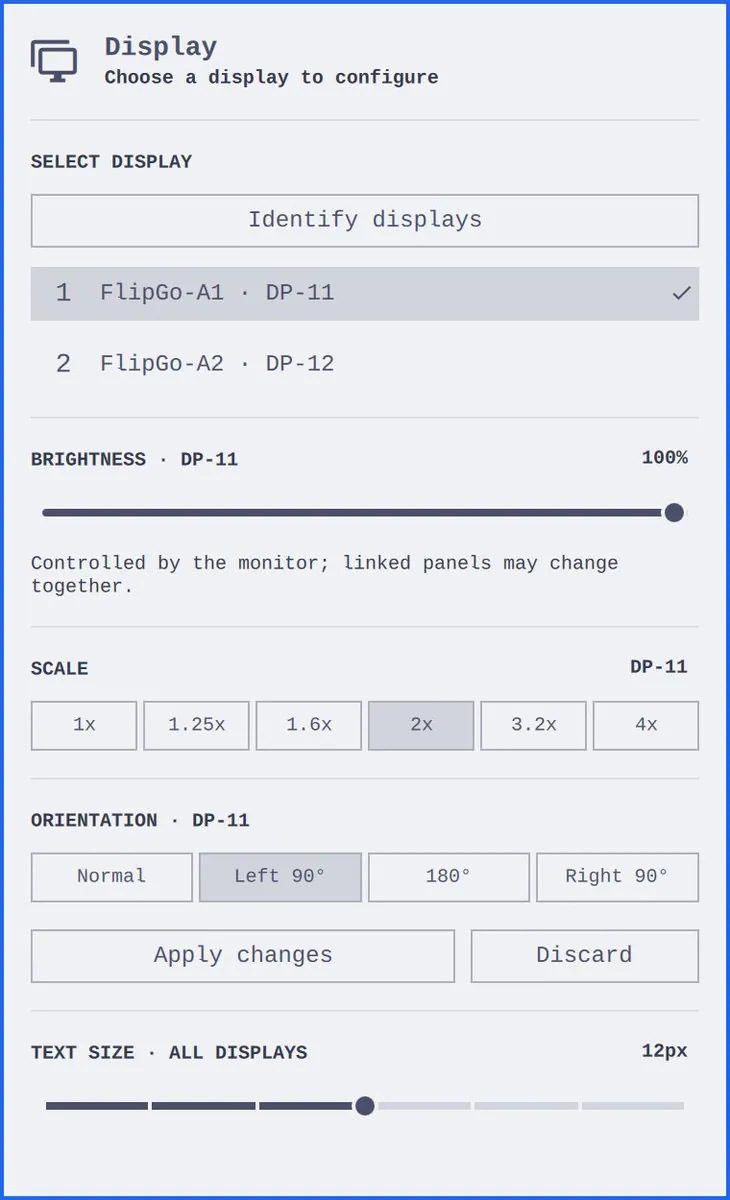
losingle says they are working on multi-monitor settings for Omarchy: choose a display, identify it on-screen, adjust rotation and scale, and map brightness controls to the right device. They link Draft PR #14436 on omacom/omarchy and add "Would love your thoughts, @dhh!"; the still is a "Display" panel reading "Choose a display to configure", with an "Identify displays" button under "SELECT DISPLAY", "FlipGo-A1 · DP-11" checked above "FlipGo-A2 · DP-12", "BRIGHTNESS · DP-11" at "100%" with the note "Controlled by the monitor; linked panels may change together.", "SCALE" buttons from "1x" to "4x" with "2x" selected, "ORIENTATION · DP-11" buttons "Normal", "Left 90°", "180°", and "Right 90°" with "Left 90°" selected, "Apply changes" and "Discard" buttons, and "TEXT SIZE · ALL DISPLAYS" at "12px".
Wilf_Lin: Dares Say hyprcapture Is the Best Screenshot Tool on Hyprland/Omarchy, With a Long-Screenshot Feature Just Made

@Wilf_Lin

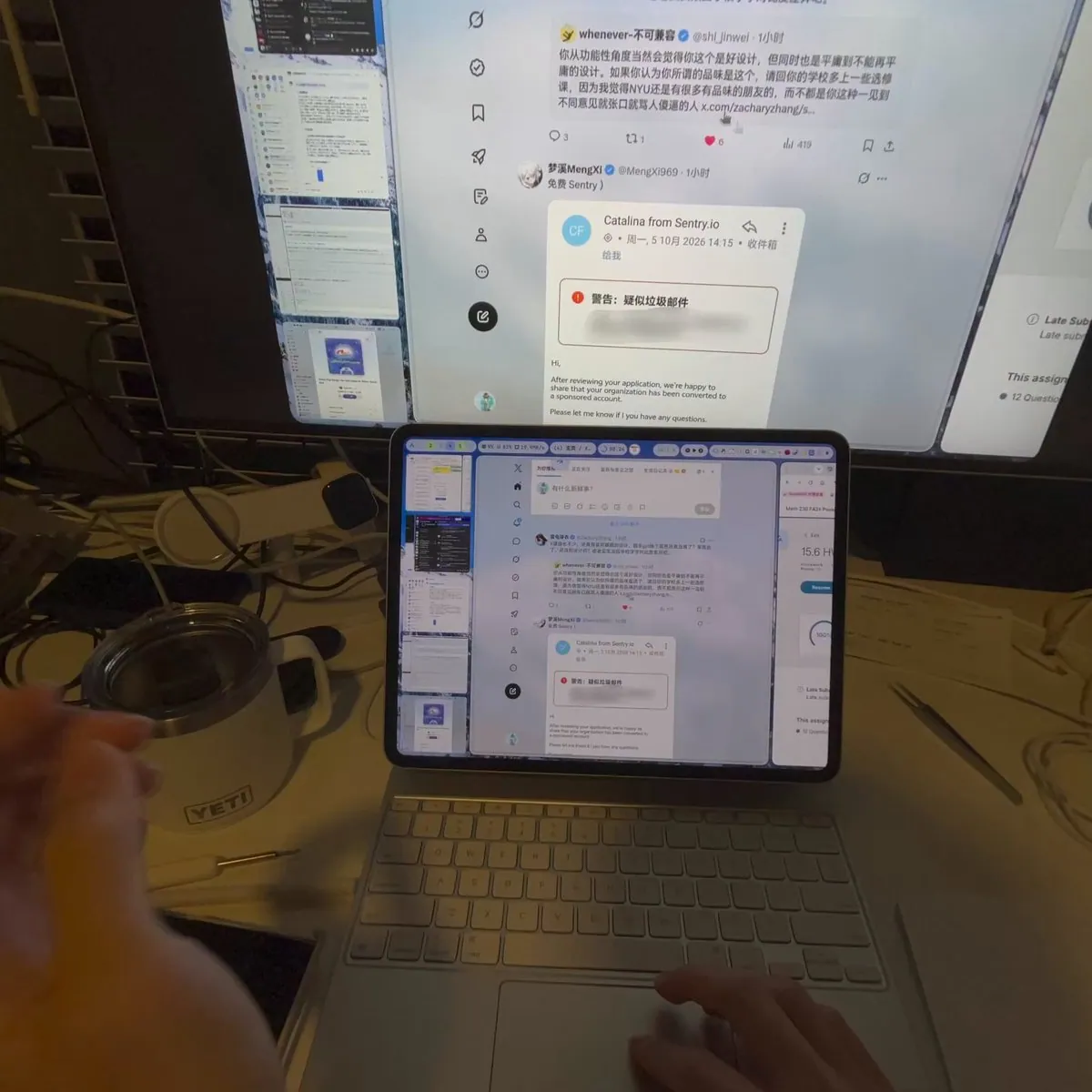
Wilf_Lin says, in Chinese, that they dare say this is the best screenshot tool on Hyprland/Omarchy: it is the long-screenshot feature hyprcapture just made, which activates by entering a window or region screenshot and then scrolling, with annotation during capture, scrolling in both directions, and a live preview in the thumbnail at the bottom right; the algorithm references deepin's open source implementation and several SOTA implementations, and they say it was shot on Apple Vision Pro. The still is a desk with a large monitor showing an X feed and a smaller screen above a white keyboard and trackpad showing the same feed beside a column of capture thumbnails, with a white "YETI" mug at the left.