Omarchy Archive

Search GitHub

Feed / other

ThePrimeagen: AI Confused How Fast Omarchy Installs via VM

ThePrimeagen says AI is confused as to how fast Omarchy installs via VM; the screenshot is a dark status card reading that the saved disk is 6.8 GB so an install really did write to it, that this machine is just fast, and that it is viewing screenshots around the poweroff to confirm it reached the desktop, with "Exploring 2 files, ran 1 command"

More like this

tomgreenwald: Magnitude in Omarchy Has Been Achieved Internally

@tomgreenwald

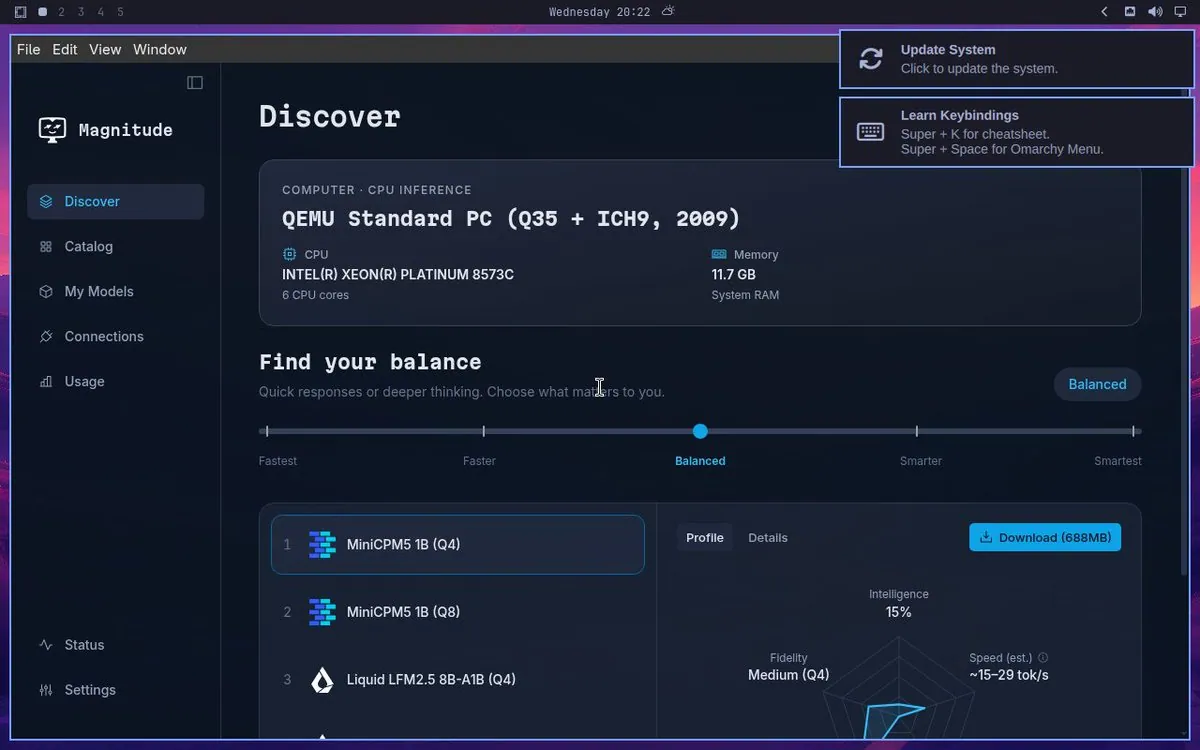
tomgreenwald says "Magnitude in Omarchy has been achieved internally"; the still is a "Magnitude" window on its "Discover" page, reading "COMPUTER · CPU INFERENCE" and "QEMU Standard PC (Q35 + ICH9, 2009)" with CPU "INTEL(R) XEON(R) PLATINUM 8573C" ("6 CPU cores") and Memory "11.7 GB", a "Find your balance" slider from "Fastest" to "Smartest" set to "Balanced", a model list of "MiniCPM5 1B (Q4)", "MiniCPM5 1B (Q8)", and "Liquid LFM2.5 8B-A1B (Q4)", a "Download (688MB)" button, "Intelligence" "15%", "Fidelity" "Medium (Q4)", and "Speed (est.)" "~15–29 tok/s", beside "Update System" and "Learn Keybindings" notifications reading "Super + K for cheatsheet." and "Super + Space for Omarchy Menu."
btsouth: Try Omarchy for Windows v0.10.0 Is Out

@btsouth

btsouth says Try Omarchy for Windows v0.10.0 is out: Omarchy starts right away now, updates download in the background during use and install on the next start, volume stays in sync with Windows, night light works, there's a fix for the NVIDIA freeze, and there is a long list of fixes across the clipboard, keyboard, displays and audio, linking the omacom/try-omarchy-windows v0.10.0 release.

linyiru: Install Omarchy Using Raspberry Pi Imager on a Pi 5

@linyiru · Raspberry Pi 5

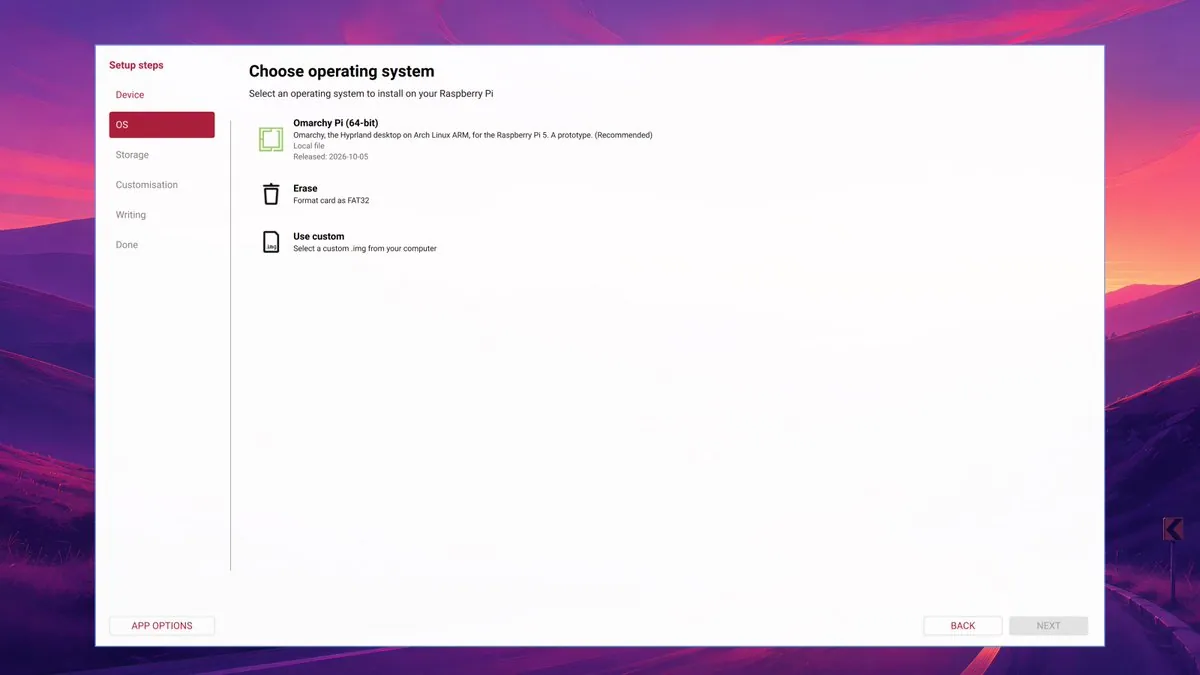
linyiru says Omarchy can be installed using Raspberry Pi Imager: pick it, flash the card, and it boots, calling it a local image and still a prototype with Omarchy, Hyprland, and Arch Linux ARM for the Pi 5 that is not in Raspberry Pi's official OS list, and asks "Did I mention installing Omarchy only takes 38 seconds?", noting that is the installer's own timer, linking linyiru/omarchy-pi; the still shows the Imager's Choose operating system step with Omarchy Pi (64-bit), "Omarchy, the Hyprland desktop on Arch Linux ARM, for the Raspberry Pi 5. A prototype. (Recommended)", Local file, and Released: 2026-10-05, plus Erase and Use custom.