Omarchy Archive

Search GitHub

Feed / other

livingATaaS: Autonomous Production Studio MVP on an Old Laptop with Omarchy

livingATaaS says he just built an autonomous production studio MVP thanks to Omarchy and Grok, where dropping a video in yields a posted YouTube episode and a published podcast, all on an old laptop; the stored frame is Kip Dynamite in a white polo and glasses, standing with his arms at his sides.

More like this

iamdothash: An App Made for Their Røde Podmic 2, Personal Software Running on Omarchy

@iamdothash

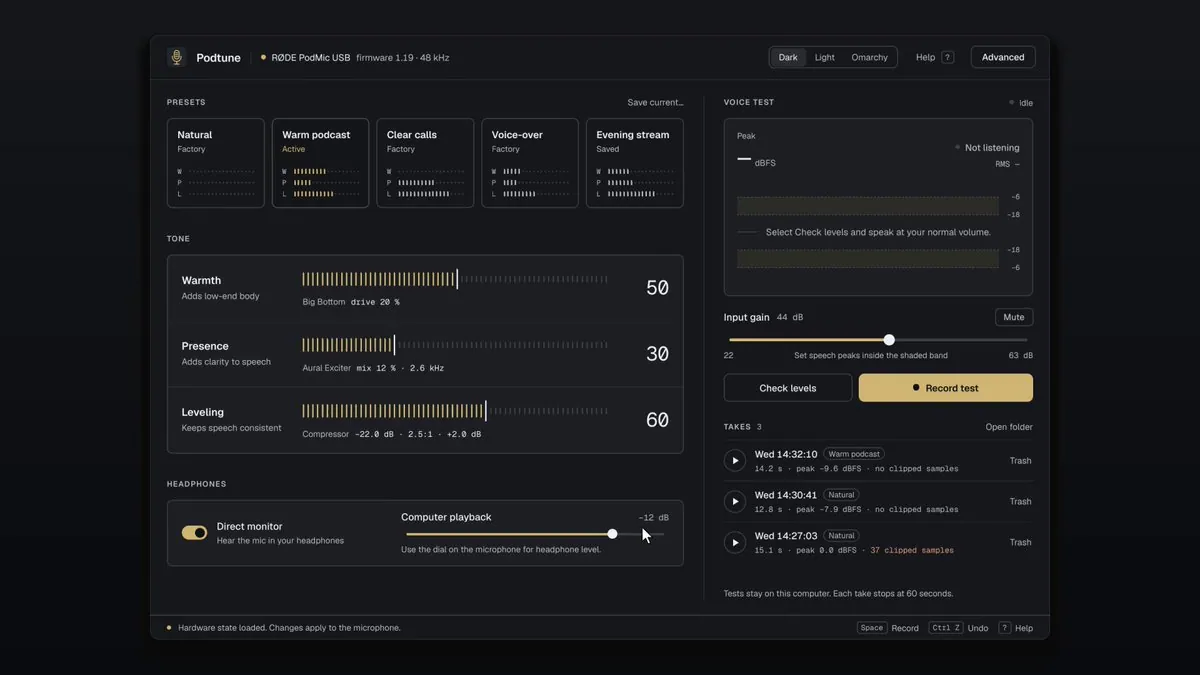
iamdothash says "This app is made for my Røde Podmic 2. Personal software. Running on Omarchy." and "Github repository coming."; the still is a window titled "Podtune" reading "RØDE PodMic USB" and "firmware 1.19 · 48 kHz", with "Dark", "Light", and "Omarchy" buttons, "PRESETS" cards "Natural", "Warm podcast" ("Active"), "Clear calls", "Voice-over", and "Evening stream", "TONE" sliders for "Warmth" at "50", "Presence" at "30", and "Leveling" at "60", a "Direct monitor" toggle, "Input gain" at "44 dB", "Check levels" and "Record test" buttons, and a "TAKES" list.
CryptoNews2000: OmarTube, a Floating YouTube Window on Omarchy

@CryptoNews2000

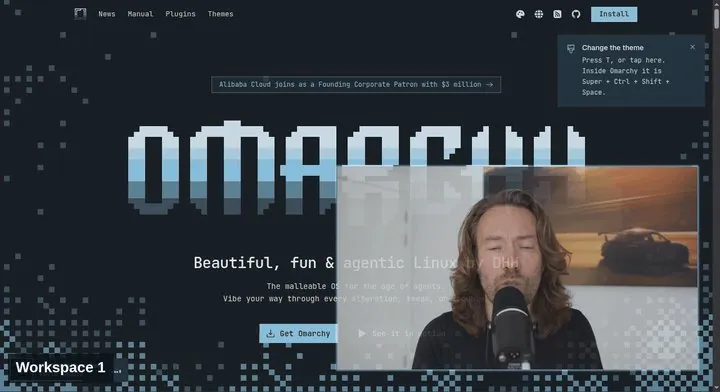
CryptoNews2000 posts "OmarTube ▶️ YouTube that stays with you on Omarchy." It floats across workspaces, moves & resizes freely, has live transparency controls in the bar, plays fullscreen video inside the floating window, and uses the existing browser, linking goarstne/omartube; the still is a floating video window of a long-haired man speaking into a microphone over a page with a pixel wordmark and the headline "Beautiful, fun & agentic Linux", with a "Workspace 1" label at the bottom left.

tahayvr: OMARCHIST v2 Is Here With a New Keybind Manager and Flows

@tahayvr

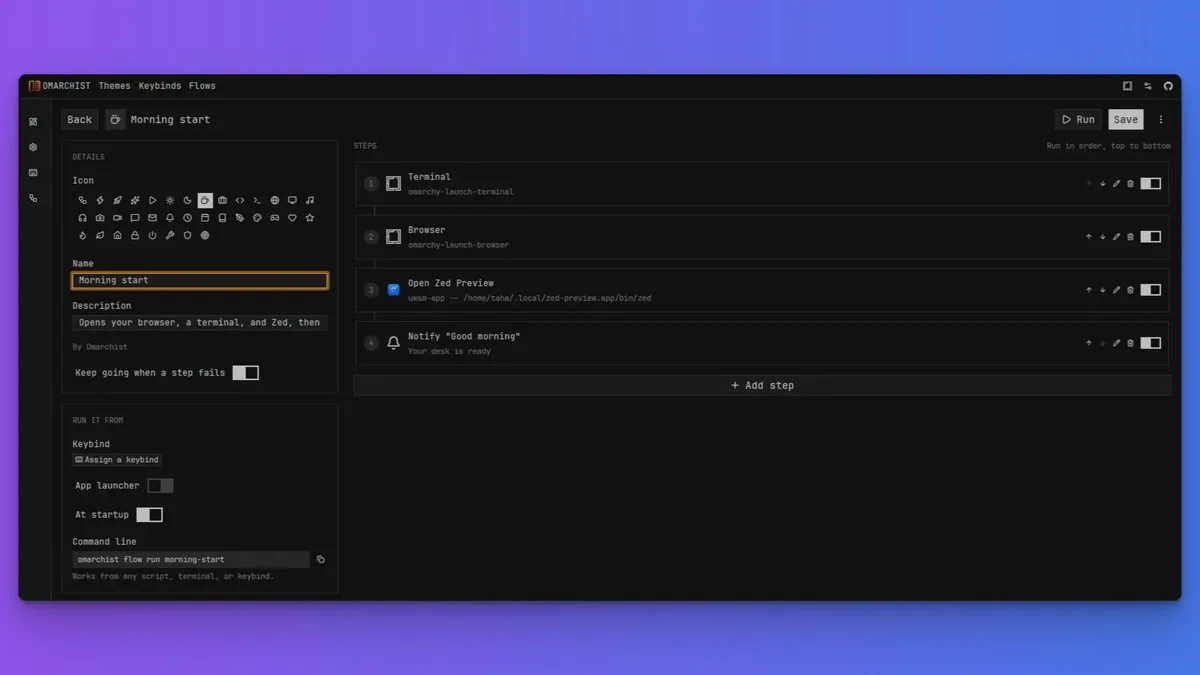
tahayvr says OMARCHIST v2 is here with a new keybind manager and "Flows", calling it mac shortcuts for Omarchy: a flow strings actions together and runs them in order (open apps, run commands, move windows, wait, and send notifications), linking the tahayvr/omarchist v2.0.0 release; the still shows a "Morning start" flow with the steps Terminal, Browser, Open Zed Preview, and Notify "Good morning", a Keep going when a step fails toggle, and RUN IT FROM options for Keybind, App launcher, At startup, and Command line.